Handy Finds Club
← All guides

Record a voiceover.

Set up a Blue Yeti USB microphone for a voiceover at your desk, with optional wired headphones to hear yourself as you record.

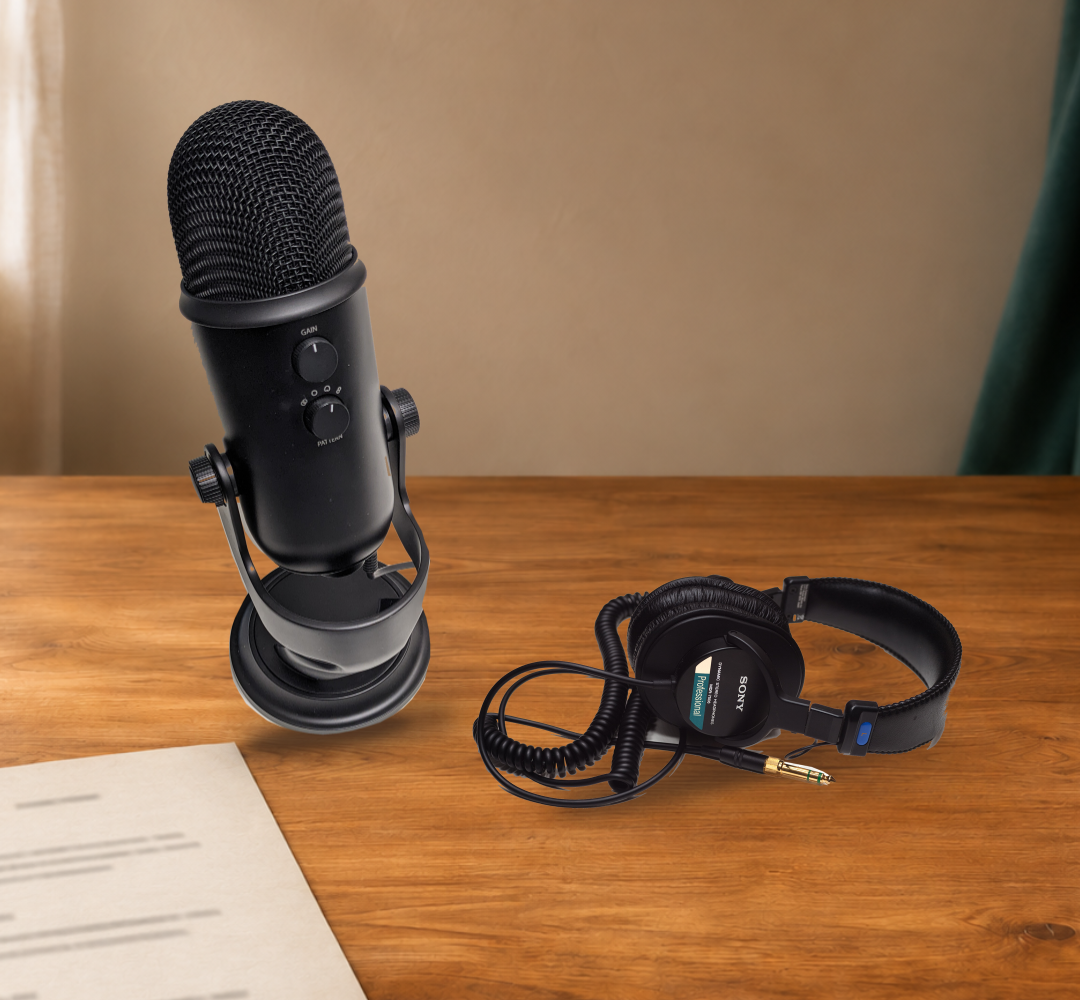
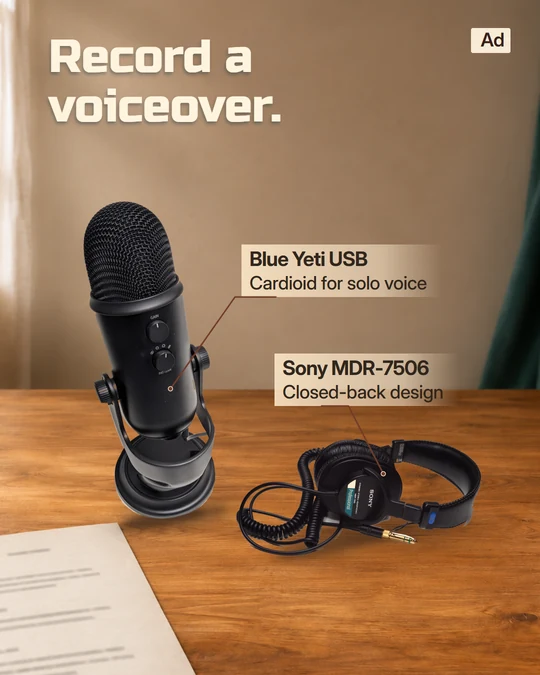
Record a voiceover. On a wood desk, a Blue Yeti microphone on a stand sits beside Sony MDR-7506 headphones with a loose coiled cable and a page of script. The labels read ‘Blue Yeti USB, Cardioid for solo voice’ and ‘Sony MDR-7506, Closed-back design.’ Ad.

Shop this post

Amazon shopping buttons are paid links. As an Amazon Associate I earn from qualifying purchases.

Mic photo by Guillaume Pasquier (CC0 1.0) and headphones by Ashley Pomeroy (CC BY 4.0). Cropped and combined with an AI-generated setting. Photo credits & licenses

The picks

As an Amazon Associate I earn from qualifying purchases. Affiliate disclosure.

Record your narration

Blue Yeti USB Microphone — Blackout

Connect it by USB, choose cardioid for one voice, and use the included tabletop stand.

See options on Amazon

Skip it if: Your current microphone already gives you a voice track you’re happy with.

Specs & buying notes
  • Check that your computer can connect to the included cable and that your app can select the Yeti as its input.
  • Logitech G’s product route identifies the Blackout color. The Blue Yeti quick start documents USB recording, cardioid for voiceovers and a 3.5 mm headphone output for monitoring and playback.
  • B&H identifies Blackout as model 988-000100 and lists a USB cable and stand with the microphone.

Manufacturer & other retailers (unpaid):

Logitech setup instructions

Optional headphone monitoring

Sony MDR-7506 Professional Stereo Monitor Headphones

The closed-back wired headphones connect to the Yeti’s 3.5 mm headphone jack after you remove the 1/4-inch adapter.

Skip it if: You already have wired headphones with a compatible 3.5 mm stereo plug.

Specs & buying notes
  • Leave room on the desk for the coiled cord.
  • Check the selected US model, seller and delivery for your address.
  • Amazon listing: Sony MDR-7506 Professional Stereo Monitor Headphones, wired, one pair
  • Sony US identifies model MDR-7506 and describes a closed-ear design and a 3.5 mm/6.3 mm adapter.
  • Sony’s operating instructions specify a coiled cable and a two-way plug. Use the 3.5 mm plug for the Yeti’s headphone jack.
See the MDR-7506 at Sony US
Full notes, fit checks & sources

Choose the Yeti as your recording input

If you’re adding narration to a video, start with the Blue Yeti USB microphone on its desk stand. Connect it to your computer with the included USB cable and choose the Yeti as the input in your recording app. Check your computer’s USB ports and your app’s input settings before ordering.

For one speaker, start in cardioid mode. Keep the microphone upright and speak toward the grille on the side with the Blue logo. Read one line at your usual speaking level, adjust the mic gain if the app’s meter clips, then play the line back before recording the full script.

Plug in wired headphones if you want to monitor

The Yeti has a 3.5 mm headphone jack so you can hear your voice as you record. The optional Sony MDR-7506 is a wired, closed-back pair. Remove the larger 1/4-inch adapter, then plug the exposed 3.5 mm connector into the microphone. Start with the headphone volume low and adjust it with the Yeti’s headphone volume knob.

If you also want to hear playback from your computer through those headphones, select the Yeti as the output in your app or sound settings. Keep the wired headphones you already own if they have a 3.5 mm stereo plug that fits.

Check the exact models

Look for the original Blue Yeti USB microphone in Blackout, US model 988-000100. The Logitech G and B&H links are ordinary links for that model. The separate paid Amazon link is for one pair of Sony MDR-7506 headphones. Sony’s US product page is an ordinary link. Check the selected model, seller, included items and delivery for your address.

About the image

Real product photographs are combined with an AI-generated desk setting. The Blackout microphone photo shows its rear controls, and the unit’s model label is out of view. To record a solo voiceover in cardioid mode, face the Blue logo on the other side. The headphones are shown with the 1/4-inch adapter on their loose cable. This guide draws on published specifications and instructions.

Sources

Photo sources and image licenses

Blue Yeti Blackout USB microphone (51844234538).jpg by Guillaume Pasquier, via Wikimedia Commons. CC0 1.0.

Sony MDR-7506 7615.jpg by Ashley Pomeroy, via Wikimedia Commons. CC BY 4.0.

The microphone was isolated with its stand, and the trailing cable was removed. The headphones were isolated with the original loose cable and attached plug adapter. Both cutouts were resized and placed with contact shadows in an AI-generated desk setting with an added script page. Social versions add a headline, product labels and leader lines. Download the full-resolution adapted scene.