Handy Finds Club
← All guides

Notes from the trip.

Turn your travel notes into a journal one paragraph at a time, and check the layout of the original Logitech MX Keys.

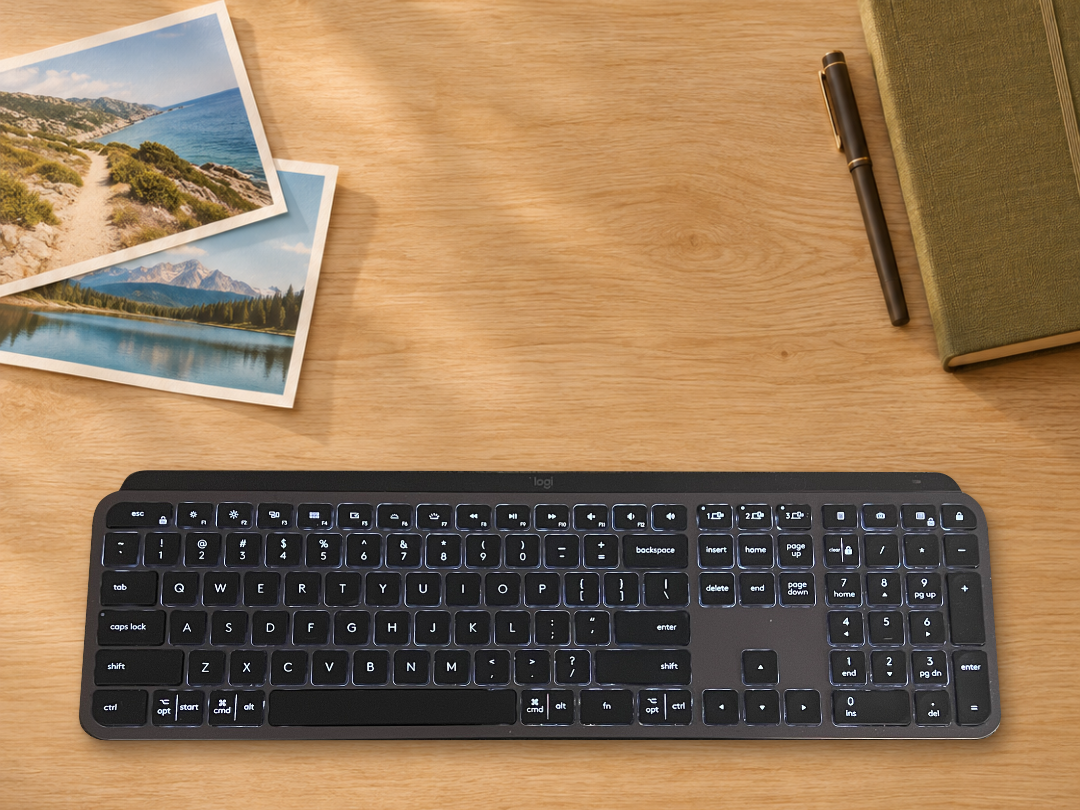
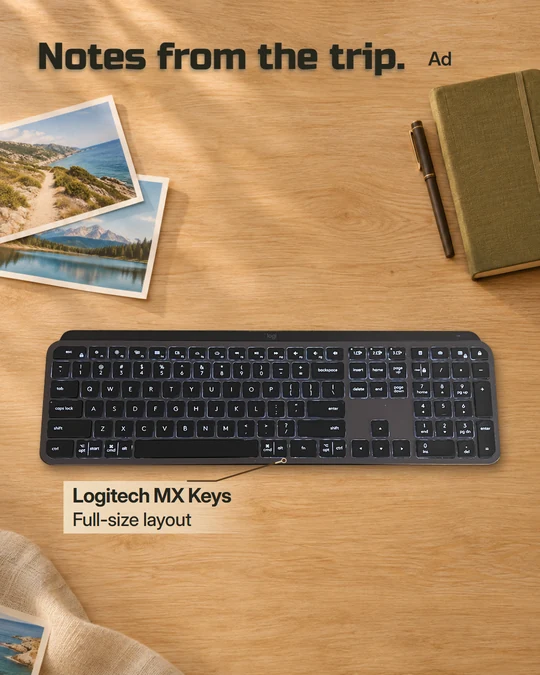
Notes from the trip. An original Logitech MX Keys keyboard sits on a wood desk with travel prints, a pen and a closed notebook. A label reading “Logitech MX Keys” and “Full-size layout” points to the keyboard. Ad.

Shop this post

Amazon shopping buttons are paid links. As an Amazon Associate I earn from qualifying purchases.

Photo by TaurusEmerald, prior crop by IagoQnsi (CC BY-SA 4.0). Cutout placed in an AI-generated desk setting. Composite CC BY-SA 4.0. Photo credits & licenses

The picks

As an Amazon Associate I earn from qualifying purchases. Affiliate disclosure.

Type up travel notes at a desk

Logitech MX Keys Advanced Wireless Illuminated Keyboard (Original, Graphite, US ANSI)

The full-size layout gives you dedicated arrow keys and a number pad.

See options on Amazon

Skip it if: Your laptop keyboard already works well for your travel journal or you need room for a notebook on a narrow desk.

Specs & buying notes
  • The full-size layout takes up desk width. Confirm the US ANSI layout and connection method when shopping.
  • TaurusEmerald’s Commons photograph shows an original Logitech MX Keys YR0073. The horizontal Enter key, long left Shift and original F4 and F5 legends match the U.S. #920-009294 retailer image. The photographed unit’s retail SKU and included receiver are unverified.
  • Monitors.com lists the original Logitech MX Keys under manufacturer part number 920-009294.
  • Logitech’s original MX Keys support guide documents Bluetooth and USB Unifying receiver setup.

Manufacturer & other retailers (unpaid):

See Logitech’s setup guide for the original MX Keys

Newer model for typing at a desk

Logitech MX Keys S Advanced Wireless Illuminated Keyboard (Newer Model, Graphite)

The graphite MX Keys S keeps the full-size layout and gives you controls for backlight duration and brightness in Logi Options+.

See options on Amazon

Skip it if: You already have a keyboard that works well or you want to use an existing Unifying receiver.

Specs & buying notes
  • The MX Keys S has a revised shortcut row and uses a Logi Bolt USB receiver.
  • The MX Keys S is a separate, newer model. The photographed keyboard is the original Logitech MX Keys.
  • The graphite U.S. #920-011558 listing displayed In stock and Add to cart on November 11, 2026 JST.
  • The MX Keys S pairs over Bluetooth or via the included Logi Bolt USB receiver. It has a revised shortcut row.

Manufacturer & other retailers (unpaid):

See Logitech’s setup guide for the MX Keys S
Full notes, fit checks & sources

Start with one moment

When you get home, open your trip notes and pick one moment you want to keep. Type a paragraph with the place, what happened, and one detail you can still picture. A bakery opening before sunrise or the view from a rainy train window is enough for a first entry.

Give the next moment its own paragraph. Leave a blank line where you want to add a photo or check a name later. That keeps you moving through the draft while the details are fresh.

Check that the full-size layout fits your desk

The original Logitech MX Keys has a full-size layout with dedicated arrow keys and a number pad. Use the arrow keys to move through your draft or the number pad to enter dates and costs when you’re organizing the trip afterward.

Logitech documents Bluetooth and the Unifying USB receiver as connection options for the original consumer model. Leave about 17 inches of desk width for the keyboard, plus space for your notes and pointing device.

Use the retail part number when you shop

The photo shows the original Logitech MX Keys in the US ANSI layout with a horizontal Enter key. The matching U.S. retail model is the graphite #920-009294. The photographed unit’s retail SKU and included receiver are unverified. Logitech also uses YR0073 in its MX Keys S support listing, so check the full product name and retail part number together.

Monitors.com lists #920-009294. Its current stock is unconfirmed. Check the listing for availability and confirm the layout and what’s included before ordering.

The newer MX Keys S is a separate option

Logitech’s U.S. store showed an Add to cart button for the graphite MX Keys S #920-011558 on November 11, 2026 JST. Check the listing for current availability.

The MX Keys S uses the Logi Bolt USB receiver and has a revised shortcut row. The original consumer MX Keys uses Unifying. Both models support Bluetooth.

Sources

Photo credits

Logitech MX Keys YR0073 Wireless Keyboard.jpg by TaurusEmerald, April 26, 2025, via Wikimedia Commons. The Commons version was cropped by IagoQnsi on September 3, 2025. Source photo licensed CC BY-SA 4.0 International.

We masked away the original textile background, converted the image to sRGB and resized the photographed keyboard proportionally. We placed it with contact shadows in an AI-generated wood desk scene with travel prints, a pen and a closed notebook. The guide uses a crop of the scene. The social versions use platform-specific crops and add a headline, product label, leader line and Ad marker. The adapted scene and social composites are licensed CC BY-SA 4.0 International. View the guide image at full size.